🔗
API & No-Code Integrations
How do I convert iCloud/Mac contacts (.abbu format)?
Export Your iCloud/Mac Contacts to CSV or Excel
Need to export your Mac or iCloud contacts to upload them to Dropcontact? Here's the simplest method using Numbers (built-in on most Macs).
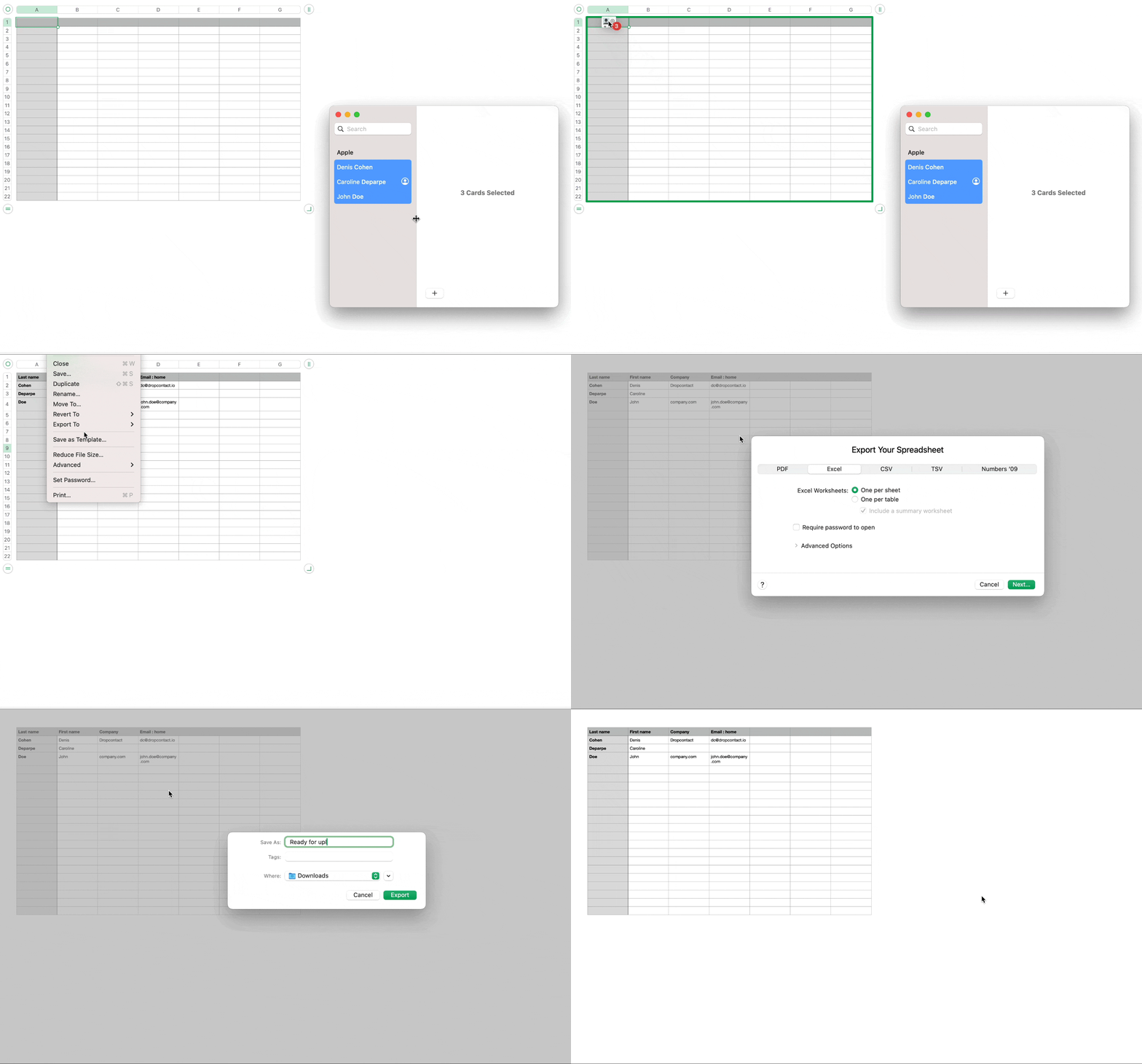
Steps:
- Open a blank spreadsheet in Numbers
- Open your Contacts app
- Select all contacts (or the ones you need) and drag & drop them into the first cell of your Numbers sheet
- Wait a few moments while the data loads (depending on how many contacts you have)
- Go to File → Export to → CSV (or Excel if you prefer)
- Save the file
That's it! Your file is now ready to upload to Dropcontact 🎉
Note: The .abbu format is Apple's archive format for Contacts. This drag & drop method converts it to a readable CSV/Excel file that Dropcontact can process.