💳
My Account & Billing
Where Can I Find My Invoices?
Access all your billing information directly from your Dropcontact account.
Access your invoices
Click your profile icon in the bottom-left corner, select Billing, then click Manage on Stripe.
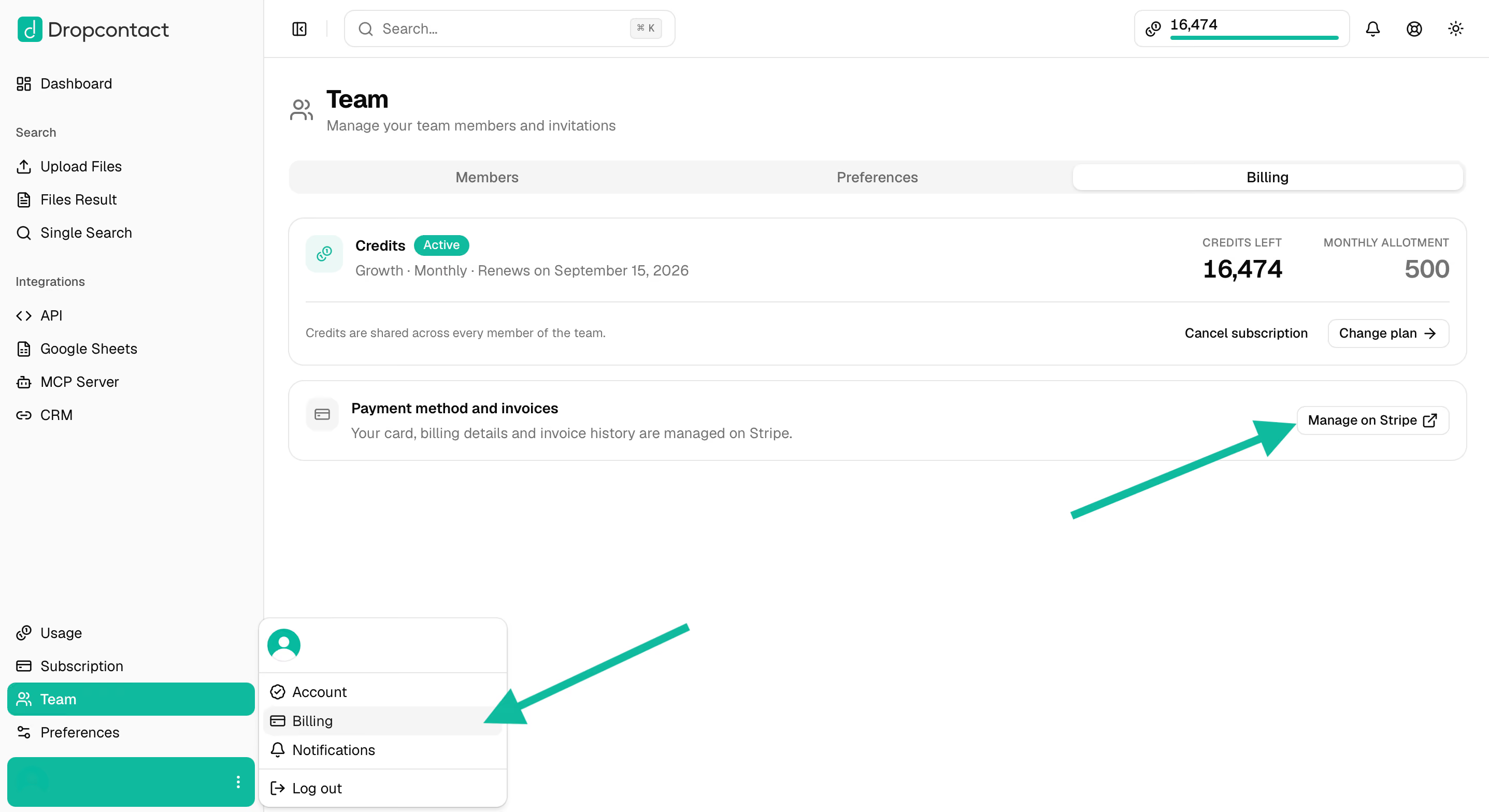
This opens your Stripe billing portal where you can:
- View and update your billing information
- Manage payment methods
- Download invoices
Download your invoices
Your invoice history appears at the bottom of the Stripe portal page under "Invoice History".
Click on any invoice to download it in PDF format.