🔌
CRM Integrations
Can I see the information added or modified by Dropcontact in Pipedrive?
When Dropcontact is integrated into your Pipedrive, it cleans, standardizes, enriches, tests, and verifies existing data and the data that feeds the CRM every day 🔥
What information can Dropcontact add or clean in my Pipedrive?
Dropcontact automatically corrects and enriches the following fields :
On People records:
- First name / Last name (inversion if needed)
- Civility
- Email address
- LinkedIn Profile
- Job Title
- Job level classification
- Business Unit classification
- Job start date
- Job end date
- Phone
On the Organization records:
- Company name
- Website
- LinkedIn page
- Phone number
- Industry
- Number of employees
- + For French companies 🇫🇷: SIREN, SIRET, VAT number, address, leader...
How can I see what has been enriched?
The fields will be automatically modified, and you will be able to monitor these changes through the changelog.
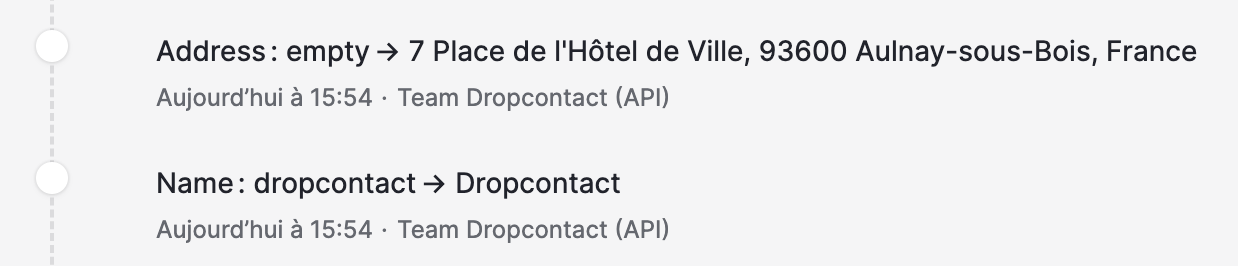
Dropcontact displays in the Pipedrive Notes (yellow) the following changes on the People records:
- Email address added by Dropcontact
- Invalid email address
- Mobile phone number or hotline number extracted from the signatures of received emails (soon)
- LinkedIn profile
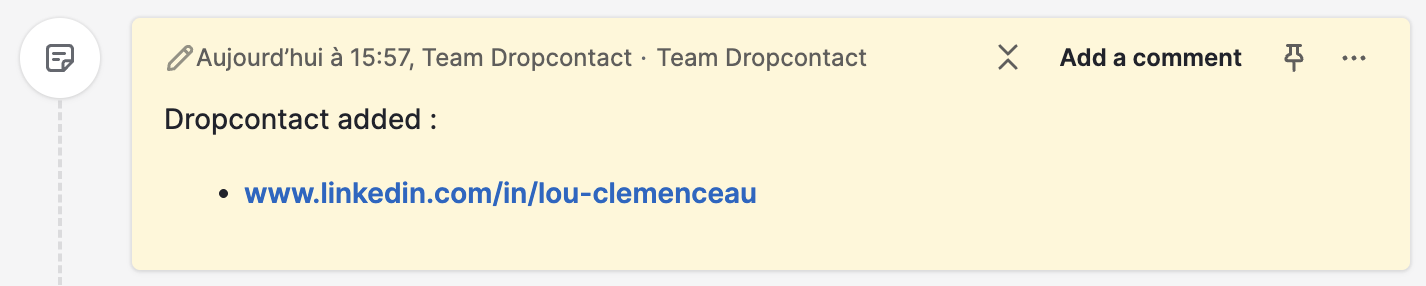
Dropcontact displays in the Pipedrive Notes (yellow) the following changes on the Organizations records:
- Phone number
- LinkedIn page added or standardized
- Website added
