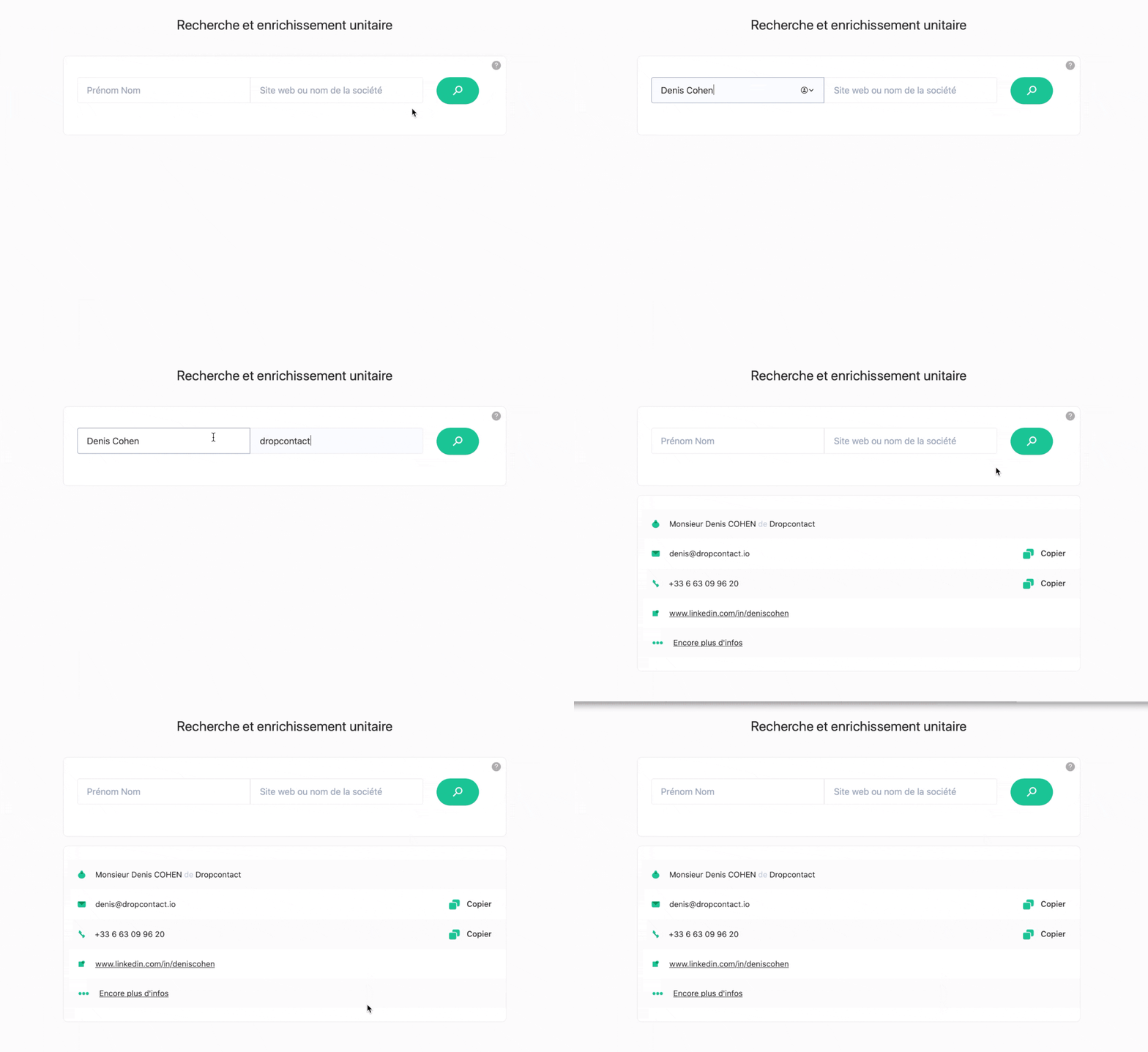
How Does Dropcontact's Single Search Work?
What You Need to Run a Single Search
A first name, last name, and company name are enough for Dropcontact to find and enrich your prospect's email. If you don't have the exact company name, Dropcontact can also identify the company from its website, its LinkedIn URL, or its email domain, so a single search still works even with incomplete information. 👉 What information do I need to find an email address with Dropcontact?
Why Does the Search Take Up to 2 Minutes?
The single search sometimes takes a little while, up to 2 minutes. That's because, unlike tools that simply look up a stored record, Dropcontact runs a live search: our algorithms generate email candidates, test them against the company's mail servers, and confirm deliverability before returning a result. This real-time verification is what takes a little more time than a simple database lookup, but it's also what ensures the email address you get is accurate and up to date.
No Database Means Full GDPR Compliance
Dropcontact does not have databases to enrich your B2B contacts. Every email address is generated and verified on the spot, with nothing stored beforehand and no reliance on lists collected from third parties. It is this difference that makes it the only 100% GDPR compliant solution on the market, since there's no personal data sitting in a database waiting to be queried.