How to convert a Sales Navigator URL to a LinkedIn URL
Dropcontact enriches B2B contacts using a full name and company name—but you can also enrich directly from a LinkedIn profile URL.
Make sure you're using the classic LinkedIn URL (linkedin.com/in/...), not the Sales Navigator URL (linkedin.com/sales/...), which won't be recognized by enrichment tools.
Here's how to convert Sales Navigator URLs to standard LinkedIn URLs using the Sales Navigator URL Converter phantom on Phantombuster.
1. Connect Your LinkedIn Session to the Phantom
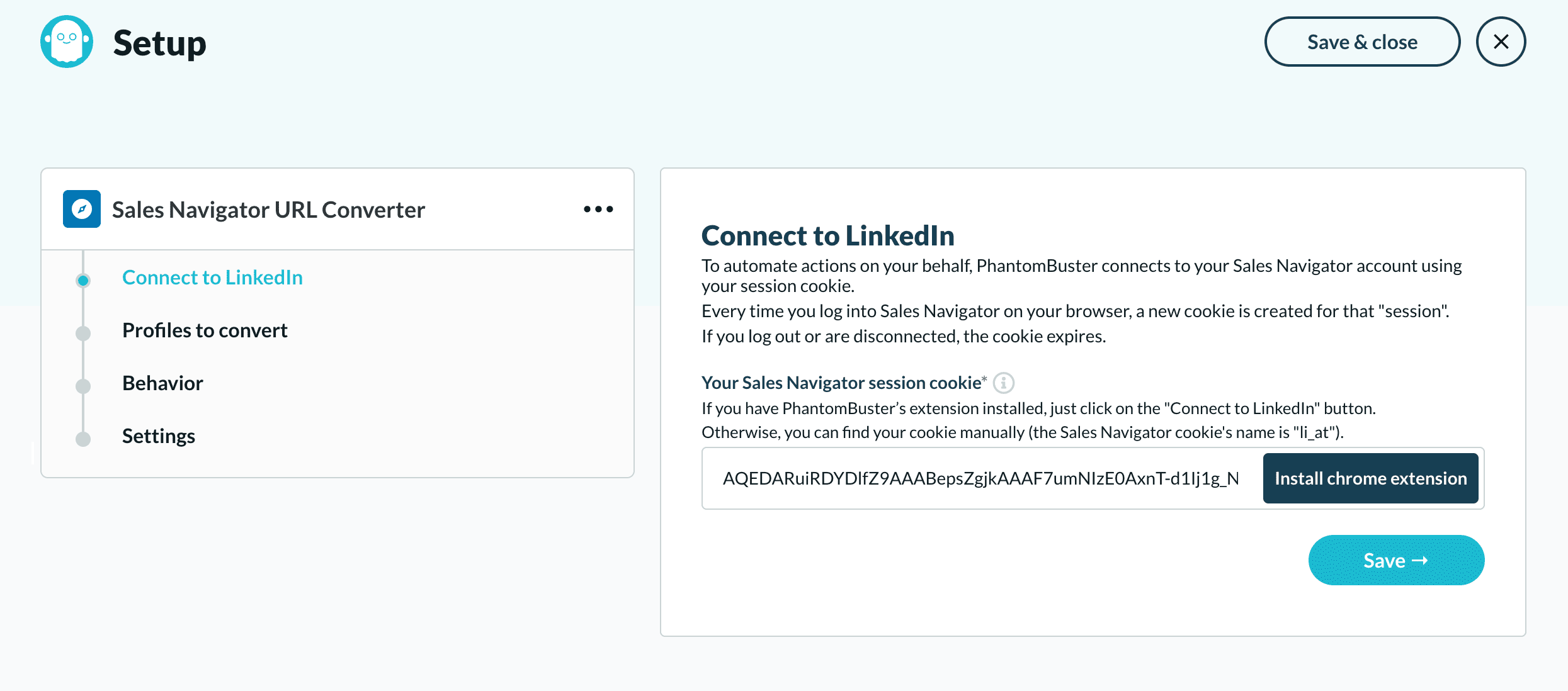
Two options to connect:
- Option 1 (easiest): Install the Phantombuster Chrome extension to automatically connect your LinkedIn session
- Option 2 (manual): Right-click on LinkedIn → Inspect → Application → Storage → Cookies → Copy the "li_at" cookie and paste it into the phantom
2. Add the URLs You Want to Convert
Choose your data source:
- Direct paste: Copy/paste a single Sales Navigator LinkedIn URL into the phantom
- Google Sheets: Enter your sheet URL (make sure it's publicly accessible) containing the Sales Navigator LinkedIn URLs
- CSV file: Provide the URL of your CSV file containing the LinkedIn URLs
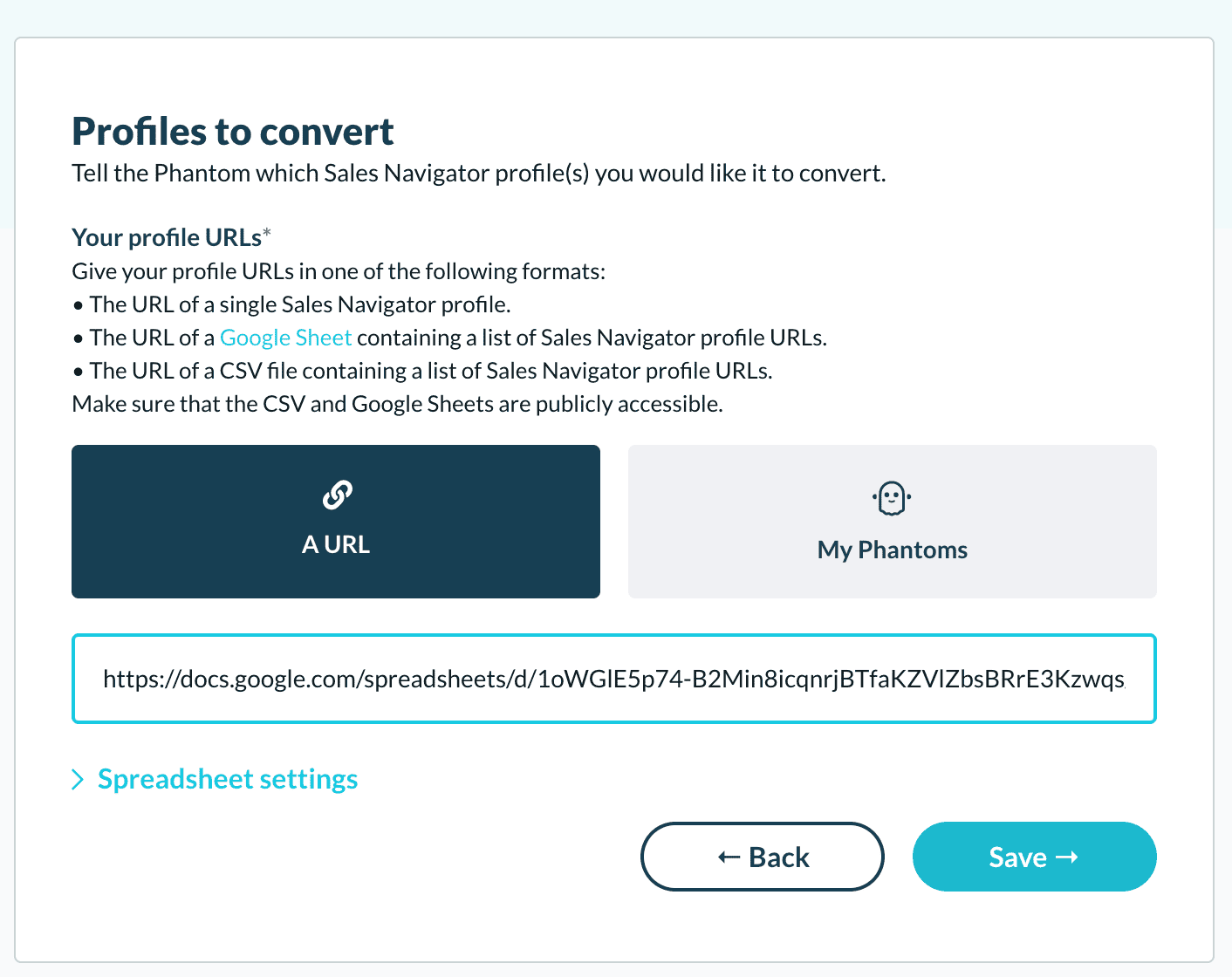
💡If you choose the Google Sheet option, specify the column containing your URLs (e.g., "profileUrl")

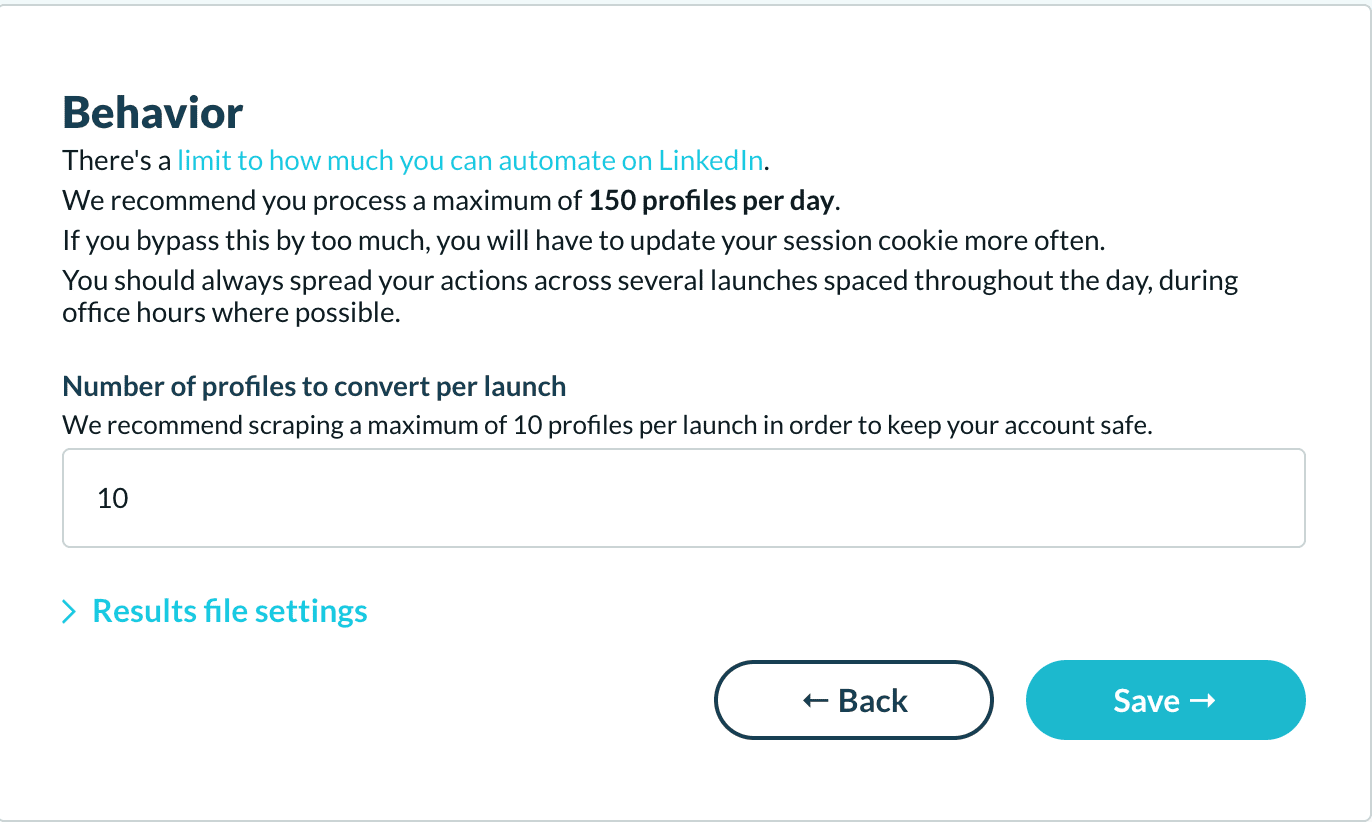
3. Configure Launch Settings
Set up frequency and volume to maintain human-like behavior:
- Limit launches to office hours
- Restrict the number of profiles converted per launch
- Space out your conversions throughout the day
This helps avoid triggering LinkedIn's automated detection systems.
4. Launch the Phantom Sales Navigator URL Converter
Click "Launch" to start the phantom.

Your converted URLs will appear in the "defaultProfileUrl" field.

Once converted, you can enrich these LinkedIn URLs with Dropcontact to get verified email addresses, contact information, and company information.
➡️ Upload my file on dropcontact.com
Learn More About LinkedIn Prospecting
Looking to optimize your LinkedIn prospecting workflow? Check out these resources:
- Top 10 LinkedIn scraping tools in 2025: Compare the best tools for extracting LinkedIn data
- Improve your targeting with LinkedIn Boolean Search: Master advanced search to find ultra-targeted prospects
- How to import your company lists into LinkedIn: Upload company lists directly into Sales Navigator