I Forgot My Password, What Do I Do?
Reset your password
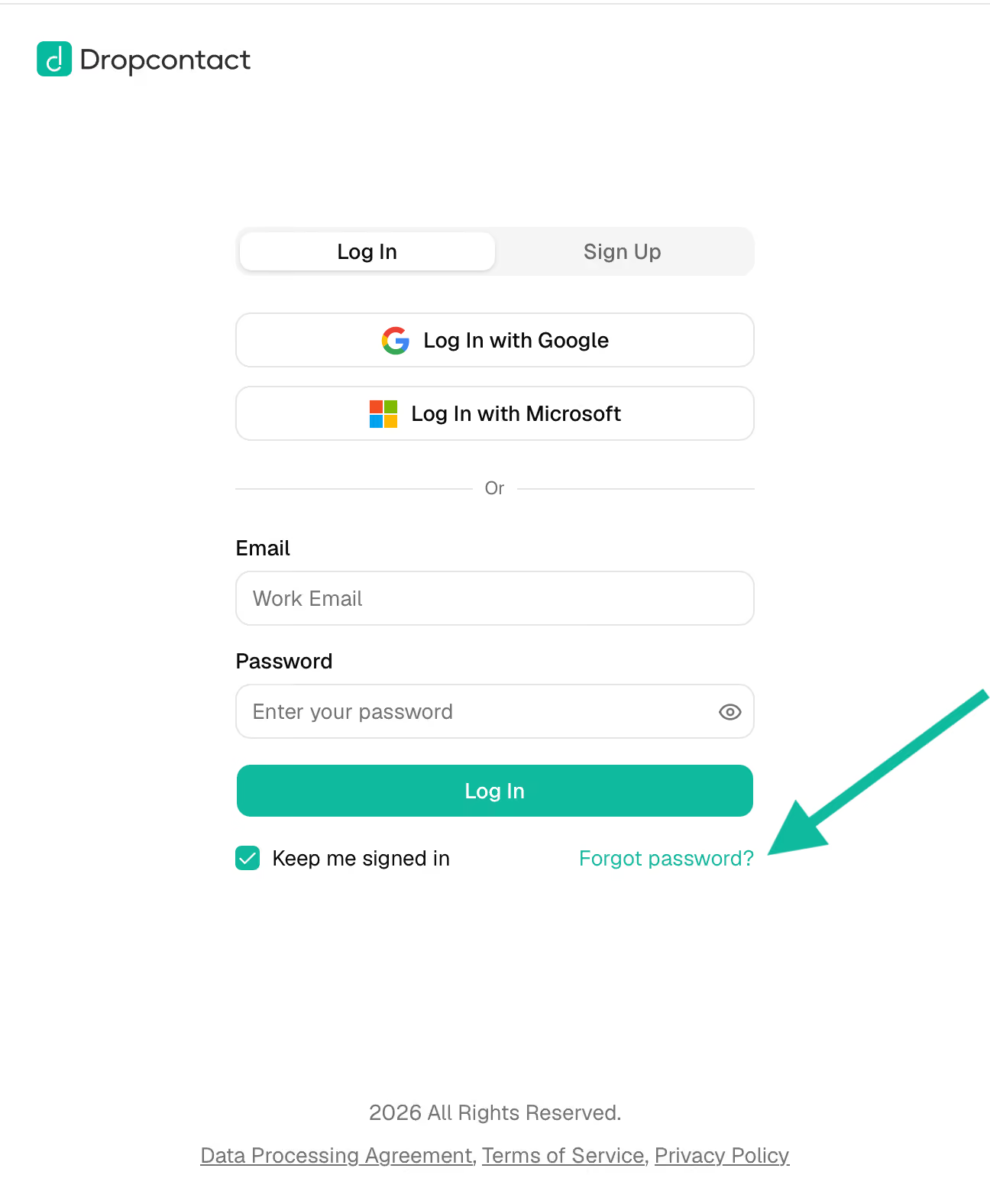
Go to the Dropcontact login page and click "Forgot your password?" below the login button.
Enter your work email and check your inbox for the reset link. Don't forget to check your spam folder!
Change your password anytime from your account
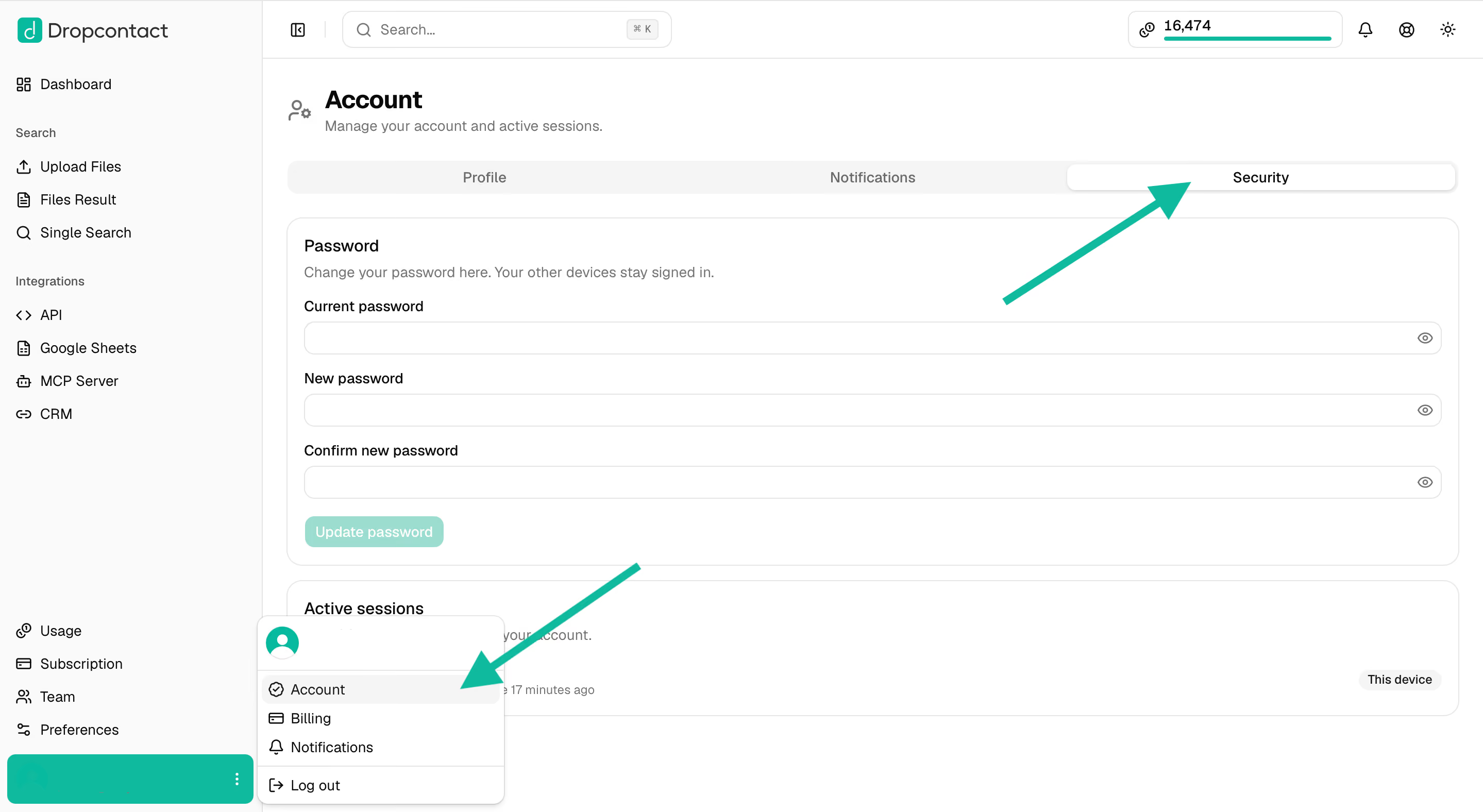
If you're already logged in and want to update your password (not just reset a forgotten one), you can do this directly from your account settings. Click your profile icon in the bottom-left corner, select Account, then go to the Security tab. Enter your current password, your new password, and confirm it, then click Update password.
If you signed up with Google or Microsoft
If you created your account using "Continue with Google" or "Log in with Microsoft", there's no Dropcontact password associated with your account—authentication happens directly through Google/Microsoft.
Want to add email + password login?
You can generate Dropcontact credentials while keeping your access:
- Go to app.dropcontact.com/signup
- Enter the same email address you used for Google/Microsoft signup
- Complete the account creation process
- Verify your email through the confirmation link
Once verified, you'll be able to log in either with Google/Microsoft or with your Dropcontact password.
Account not activated yet?
If your account isn't activated, you won't be able to reset your password. Contact us via chat at support@dropcontact.io so we can manually activate your account, then you'll be able to reset your password.