How does Dropcontact modify my file?
Email enrichment
Dropcontact finds verified business email addresses from just a first name, last name, and company name, with no website required. Our real-time algorithms handle even complex scenarios like double first names or double last names, with a success rate of 60-70%.
Unlike tools that rely on databases, Dropcontact generates every result on the fly, ensuring your data is always current and 100% GDPR compliant.
👉 Why Dropcontact is the best alternative for email enrichment
Email verification
Every email is verified using Dropcontact's built-in algorithm: 99% valid for nominative@pro, 97% for catch-all@pro. We don't rely on third-party verifiers, and adding them after enrichment can actually degrade your results.
If an existing email is invalid, Dropcontact moves it to the "Note" field and searches for a new verified email to place in the "Email" column.
👉 Why Dropcontact is the best alternative for email verification

Email qualification
All email addresses are qualified as: nominative (e.g. firstname.lastname@), generic (e.g. sales@, info@), personal (e.g. @gmail.com), or professional (e.g. @company.com).
👉 What is email qualification?

Email correction & extraction
Dropcontact automatically detects and fixes errors in professional email addresses. It also extracts information from email signatures (phone numbers, job titles, company details, LinkedIn profiles) and places them in the correct fields.
First name, last name & civility
First and last names are corrected with proper capitalization and special characters. Civility (Mr., Mrs., Ms.) is added to help personalize your outreach.
Name/first name inversions are automatically fixed.
Company change detection
Dropcontact identifies when contacts have moved to a new company and enriches their records with updated information: new email, phone number, company website, and LinkedIn profiles.
This feature is essential for staying in touch with your network, since contacts who change jobs are often your warmest leads.
👉 Does Dropcontact detect company changes?

Job title cleaning & classification
Dropcontact cleans and standardizes existing job titles, then classifies them with advanced categorization:
- Business Unit classification: Sales, Marketing, Engineering, HR, Finance, etc.
- Hierarchical level: C-level, VP/Director, Manager, Individual Contributor, etc.
These classifications help you segment your prospecting and personalize your sales approach at scale.
👉 Does Dropcontact add job titles?
Contact location
Dropcontact automatically adds the contact's professional location (city, region, country) when available.
Phone number enrichment
In accordance with GDPR, Dropcontact only provides business phone numbers, never private mobile numbers.
Phone numbers are processed in E.164 standard and returned in international format.
👉 Do you find private email addresses and phone numbers?
LinkedIn profile enrichment
Dropcontact adds the contact's LinkedIn profile URL, with an average fill rate of 85%.
- LinkedIn URL (contact + company)
- LinkedIn Employee Count
- LinkedIn Location
👉 Can I use Dropcontact to scrape LinkedIn?
Company enrichment
Dropcontact enriches company data with:
- Company website: automatically matched from the company name or business email domain
- Company phone number: in E.164 standard, international format
- Industry sector: enriched for both French and international companies
- Number of employees: company size bracket (for French and international companies)
- Mailing address: formatted to NFZ 10-011 AFNOR postal standard (French companies)
- Legal information (French companies only): SIREN, SIRET, NAF code, VAT number
Data standardization
Each field has its own standardized format. Toxic characters (emojis, encrypted characters) are corrected or removed.
Here's what it looks like
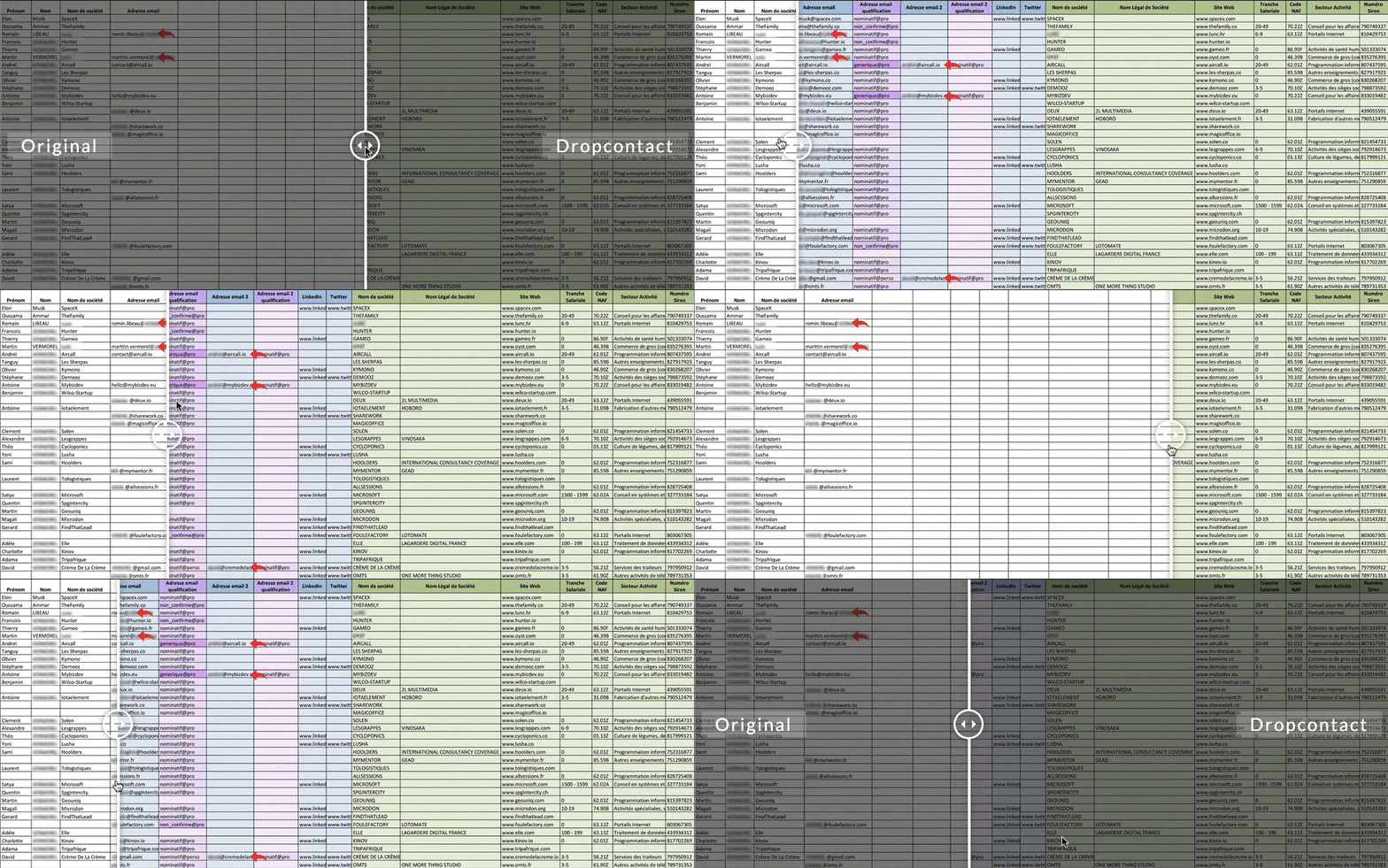
Google Sheets integration: no more imports or exports
Skip the file upload hassle. With our Google Sheets extension, you can enrich contacts directly in your spreadsheets, with no exports and no manual file handling.
Install the extension, connect your Dropcontact account, and enrich contacts one by one or in bulk. Results appear instantly in your sheet.